
The purpose of the article is to use docker-compose in order to demonstrate how you can easily create a dockerized environment using docker-compose
Docker compose short story
We have already seen how easy is to run a microservice within a container, but what happens if we want to run multiple containers at the same time, databases and other services in the same environment.
Then docker-compose can step in into this picture and help in building an environment according to the defined compose keywords that we will add into a *.yml file(reference).
Shortly said , docker-compose is just a tool of managing multiple applications into a docker container with specific keywords added into a YAML file.
PREREQUISITES
- Existing microservice registered to an Eureka server with a docker file
- If not, check post of how to Dockerize the microservice or checkout the microservice with the dockerfile from github.
- Configure service to connect to the Eureka server
- We will also add a Eureka server into a docker container
- See how to create an Eureka server
Configure Eureka server
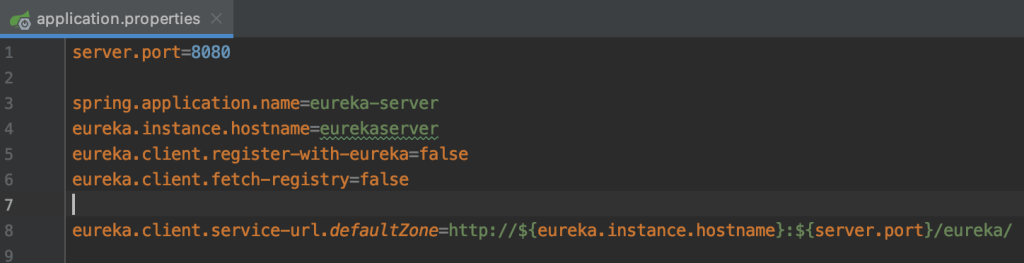
Eureka server will run on port 8080 inside the docker container.
The HOSTNAME eurekaserver will be the name of the service that we add in the docker-compose file.
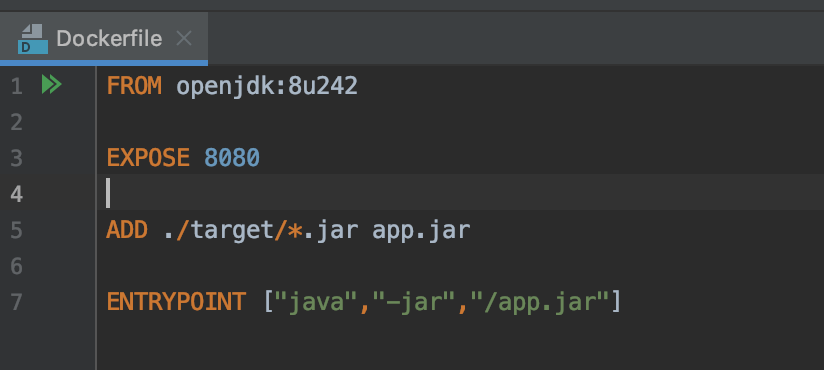
Create Dockerfile inside the eureka-server root path:
Configure Bonus Service
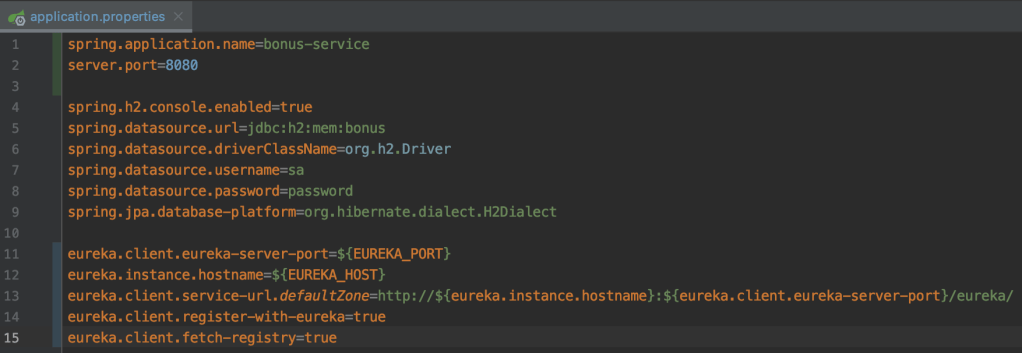
The same Dockerfile needs to be available inside the bonus-service but we need to configure some properties
- Create the docker-compose.yml file
The file can be created in any folder, the important thing in the file is the “build” entry that should have the proper service path.
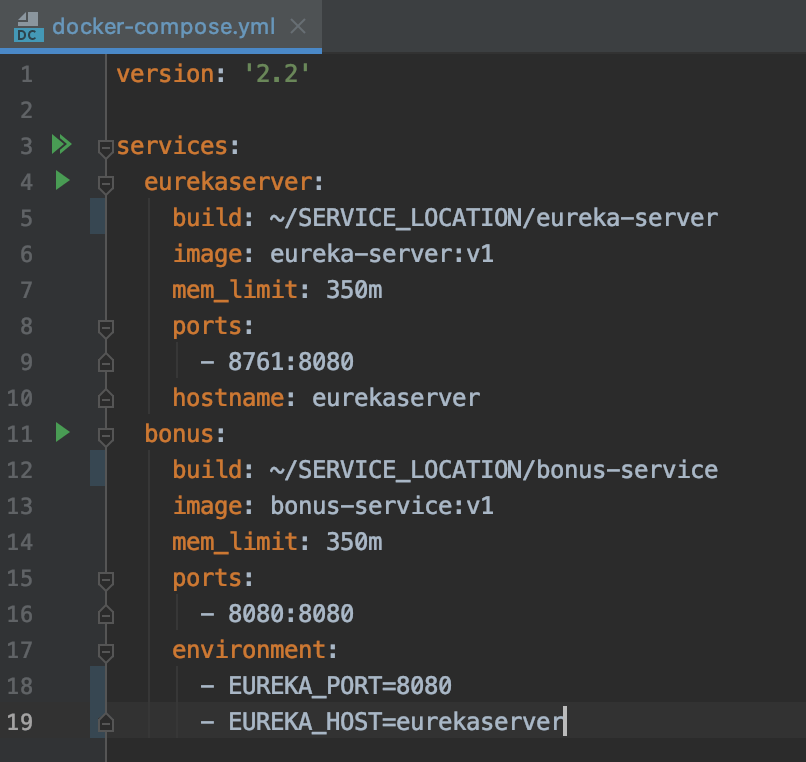
Replace SERVICE_LOCATION with the actual path of the eureka-server and bonus-service locations.
The file will build two docker images with v1 tags with the name specified at the “image” line and it will start the containers, expose 8080 and 8761 on the host and populate variables in order to be used by the bonus-service container.
2. Start container with docker-compose
Inside the folder where the docker-compose.yml file is located open a terminal and type
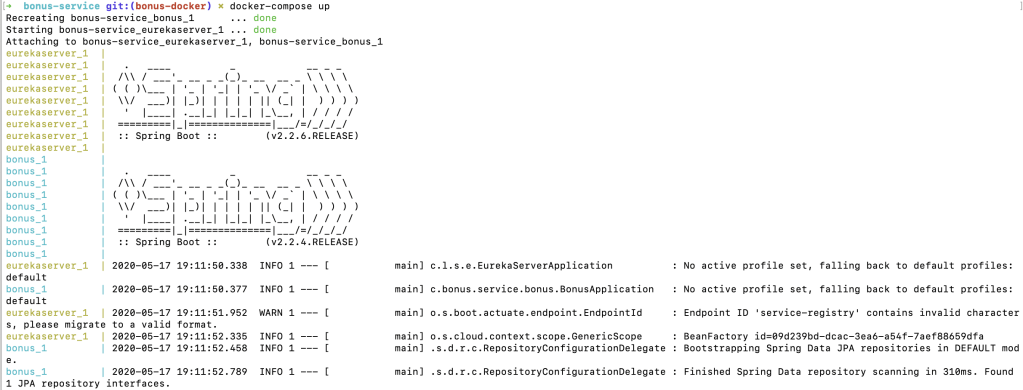
If you specify the command with -d > “docker-compose up -d”, the containers will be started in detached mode and you will get the console back.
We can verify that the services are running by accessing the eureka server
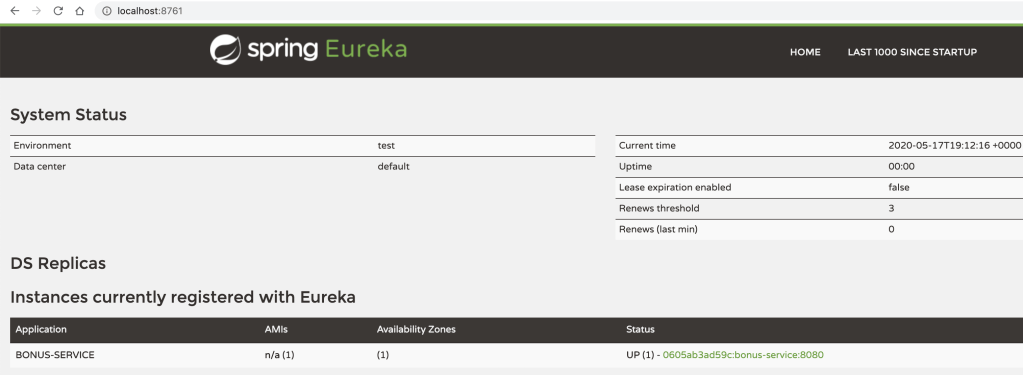
We can see that the bonus-service is registered in eureka with the hostname of the docker container in which is running.
Verify running containers









 Development & Automation
Leave a comment